HelloSign vs DocuSign: Which E-Signature Platform Reigns Supreme?
Compare HelloSign (Dropbox Sign) and DocuSign head-to-head. Explore pricing, features, integrations, and find the best e-signature solution for your needs.
9 min read
DocuSign is the superior choice for enterprises requiring complex, feature-rich workflows, while Dropbox Sign (HelloSign) reigns supreme for small teams and individuals prioritizing intuitive design and cost-effective, volume-based pricing. DocuSign offers robust, user-based scalability, whereas Dropbox Sign provides a more streamlined, user-friendly interface that simplifies the digital signing process for growing businesses. Choosing the right e-signature platform is crucial for streamlining workflows and ensuring legal compliance. Two titans dominate this space: DocuSign and HelloSign (now Dropbox Sign). While both offer robust solutions for digital document signing, they cater to different needs and budgets. This deep dive compares them across key areas to help you make an informed decision.
Core Functionality: Signing and Sending
At their heart, both DocuSign and HelloSign excel at facilitating secure and legally binding electronic signatures. Users can upload documents, add signature fields, and send them out for signing. Both platforms offer audit trails, ensuring a verifiable record of who signed, when, and where.
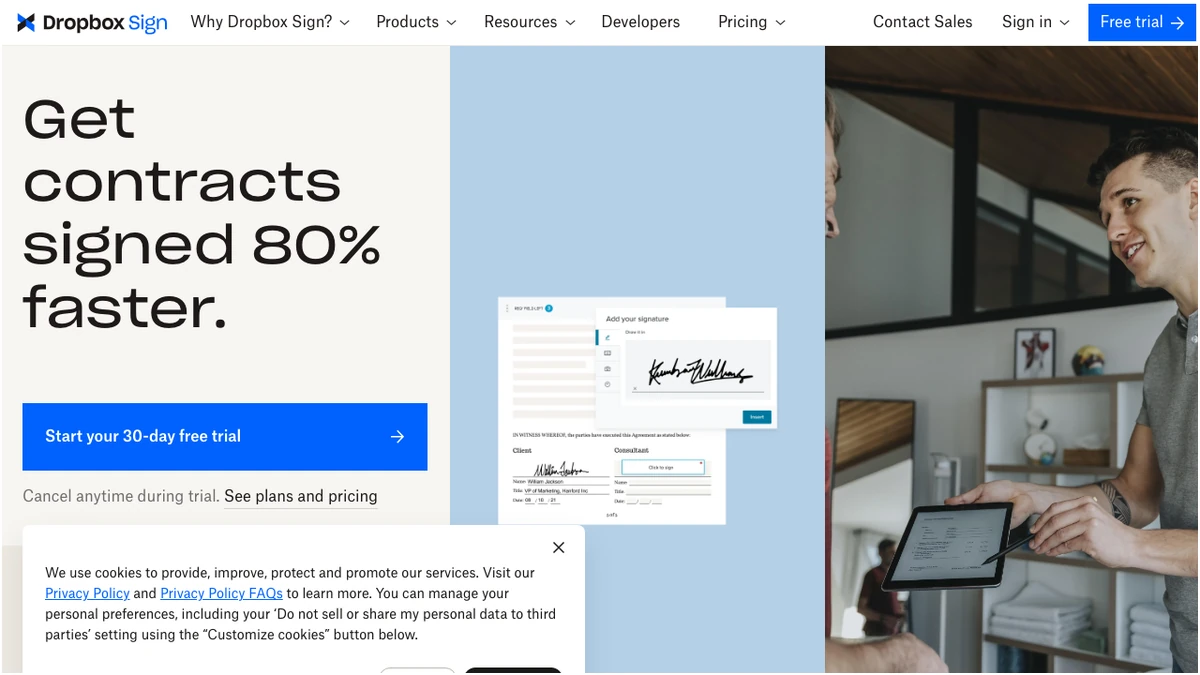
However, the user experience and advanced capabilities diverge. DocuSign, as the established market leader, often presents a more feature-rich, albeit sometimes complex, interface. HelloSign, on the other hand, is lauded for its intuitive design and ease of use, making it a go-to for those prioritizing simplicity.
Pricing: Where the Rubber Meets the Road
Pricing is often a deciding factor, and here, the two platforms take distinct approaches.
DocuSign's pricing is primarily per-user, which can become expensive for larger teams. Their plans include:
- Personal: $10/month (annual) or $15/month (monthly) for 5 envelopes per month. This is a good entry point for individuals or very small businesses with low volume needs.
- Standard: $25/user/month (annual) or $45/user/month (monthly) for unlimited envelopes and team features. This is where collaboration and team management features become available.
- Business Pro: $40/user/month (annual) or $65/user/month (monthly) for advanced features like bulk send and web forms.
- Enterprise: Custom pricing for organizations with complex requirements.
HelloSign (Dropbox Sign) offers a more flexible pricing model, often focusing on envelope volume and unlimited users in certain tiers. Their plans include:
- Free: $0 for 3 envelopes per month. A generous free tier for very light users.
- Essentials: $15/month (annual) for 20-unlimited envelopes, 5 templates, and 1 user. This plan offers a significant jump in envelope capacity and template usage.
- Standard: $25/month (annual) for unlimited envelopes, 15 templates, and team features for 2-4 users. This plan is particularly attractive for small teams due to its unlimited user and envelope offering at a fixed price.
- Premium: Custom pricing, offering unlimited envelopes, SSO, and full API access.
Pricing Model Comparison
DocuSign's per-user pricing can escalate quickly for growing teams, while HelloSign's Standard plan, with its unlimited users and envelopes at a fixed monthly cost, presents a compelling value proposition for teams of any size beyond a single user. For a single user, DocuSign's Personal plan at $10/month is slightly cheaper than HelloSign Essentials at $15/month, but HelloSign offers significantly more envelopes.
Features: Beyond the Signature
While core signing functionality is essential, advanced features can significantly enhance productivity and workflow automation.
DocuSign boasts an extensive feature set, including:
- 350+ Integrations: Seamlessly connects with a vast array of business applications.
- Advanced CLM (Contract Lifecycle Management): For complex contract negotiation and management.
- Bulk Send: Efficiently send documents to multiple signers simultaneously.
- Web Forms: Create custom forms for data collection.
- Payment Collection: Integrate payment processing directly into the signing workflow.
- Shared Templates: Collaborate on and manage templates within a team.
- Collaborative Commenting: Facilitate discussions around documents.
- API: Robust API with rate limits that vary by tier.
- Enterprise SSO and Advanced Auditing: For enhanced security and compliance.
HelloSign (Dropbox Sign) offers a strong feature set, particularly for its target audience:
- Seamless Dropbox Integration: A natural fit for Dropbox users.
- Unlimited Signatures in Paid Plans: A major advantage for high-volume senders.
- Templates: Up to 15+ templates depending on the plan.
- SMS Delivery: Send signature requests via text message.
- Reporting: Track document status and signer activity.
- Bulk Send: Available in higher tiers.
- Custom Branding: Brand documents with your company logo and colors.
- Salesforce Integration: Available in the Standard plan.
- Full API in Premium: For extensive customization and integration.
| Feature | DocuSign | HelloSign (Dropbox Sign) |
|---|---|---|
| Integrations | 350+ | Key integrations (Dropbox, Salesforce) |
| Bulk Send | Yes | Yes (Standard+) |
| Web Forms | Yes | Limited |
| Payment Collection | Yes | No direct integration |
| Custom Branding | Yes | Yes (Standard+) |
| API Access | Yes (Tiered) | Yes (Premium) |
| Unlimited Signatures | Business Pro+ | Essentials+ |
| Unlimited Users | N/A (per-user) | Standard+ |
Integrations: Connecting Your Ecosystem
Integrations are vital for seamless workflow automation. DocuSign shines here with its vast library of over 350 integrations, covering almost every conceivable business application from CRM and ERP systems to project management tools and cloud storage. This makes it a powerhouse for enterprises looking to embed e-signatures into their existing tech stack.
HelloSign, while not boasting the sheer number of integrations, focuses on key partnerships. Its native Dropbox integration is a significant draw for users already invested in that ecosystem. The inclusion of Salesforce integration in its Standard plan also makes it attractive for sales teams.
Ease of Use vs. Advanced Capabilities
This is where the fundamental difference between the two platforms becomes most apparent.
DocuSign is often described as powerful but can have a steeper learning curve. Its extensive feature set, while beneficial for complex workflows, can feel overwhelming for users who simply need to send documents for signature. The interface, while functional, is not always as intuitive as HelloSign's.
HelloSign (Dropbox Sign) is celebrated for its user-friendliness. The interface is clean, modern, and easy to navigate, making it simple for anyone to upload, prepare, and send documents for signing. This simplicity doesn't come at the cost of essential functionality; it just prioritizes a streamlined experience.
Who Should Choose Which?
DocuSign is ideal for:
- Large Enterprises: Organizations with complex legal and compliance requirements, extensive existing tech stacks, and a need for advanced contract lifecycle management.
- Businesses Requiring Deep Integrations: Companies that need to connect e-signatures with a wide array of CRM, ERP, or other business-critical systems.
- Teams Needing Advanced Workflow Automation: Those who can leverage features like bulk send, web forms, and payment collection to automate intricate processes.
HelloSign (Dropbox Sign) is ideal for:
- Small to Medium-Sized Businesses (SMBs): Teams looking for a cost-effective, user-friendly solution without sacrificing essential features.
- Dropbox Users: Seamless integration makes it a natural choice for those already using Dropbox for cloud storage.
- Teams Prioritizing Simplicity: Businesses that want an intuitive platform that requires minimal training.
- Budget-Conscious Teams: The Standard plan offers exceptional value with unlimited users and envelopes.