PandaDoc AI Review 2026: Features & E-Signature Performance
Is PandaDoc worth it in 2026? We evaluate the latest AI capabilities, e-signature tools, and document workflows to help you make the right choice.
9 min read
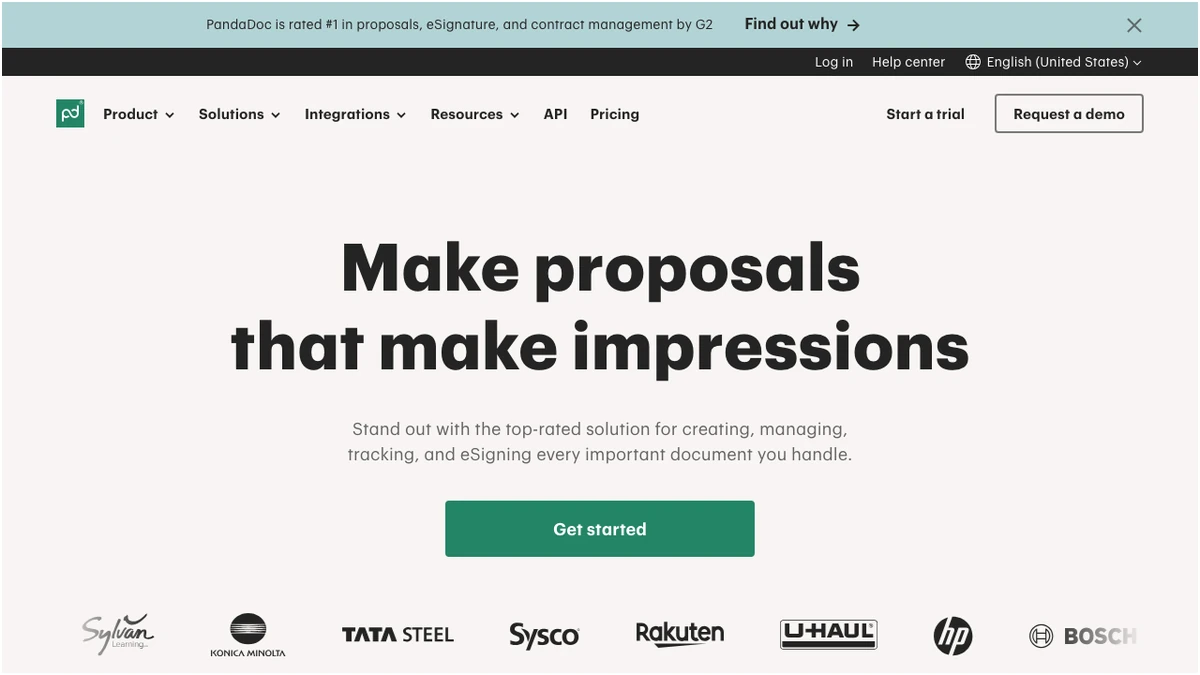
PandaDoc is a powerful but increasingly segmented document automation tool that requires careful plan selection to ensure cost-efficiency. While the platform offers robust e-signature and workflow capabilities, recent pricing shifts and feature caps on the Starter tier mean high-volume users must prioritize the Business plan to access essential integrations and automation features. PandaDoc has long been a contender in the crowded e-signature and document automation space. As we head further into 2026, the platform continues to evolve, introducing new plans and refining its feature set. But with increased competition and recent strategic shifts, is PandaDoc still the go-to solution for businesses looking to streamline their document workflows? This comprehensive review dives deep into PandaDoc's current offerings, dissecting its pricing, features, and recent changes to help you make an informed decision.
PandaDoc's Evolving Pricing Tiers in 2026
PandaDoc's pricing structure has seen significant adjustments, particularly with the introduction of the "Launch" plan and the rebranding and downgrading of "Essentials" to "Starter." Understanding these tiers is crucial for assessing value.
The Free eSign plan remains a compelling entry point for individuals or very small teams needing basic e-signature capabilities, offering unlimited signatures but capping document creation at five per month. This is ideal for occasional use.
The new Launch plan, introduced in September 2025, targets users with moderate document volume. At $9 per month, it includes 60 documents annually, with a $3 charge for each document beyond that. While this offers unlimited seats, the per-document pricing can become expensive for high-volume users, making it a careful consideration.
The Starter plan, formerly Essentials, is priced at $19 per user per month (billed annually) or $35 per user per month (billed monthly). This tier provides unlimited documents and e-signatures, a drag-and-drop editor, and essential tracking features. However, a significant downgrade from its predecessor is the cap of only 5 templates, and the removal of pricing tables and payment integrations, features that were previously included at this price point.
For businesses requiring more advanced functionality, the Business plan, at $49 per user per month (annual) or $65 per user per month (monthly), unlocks crucial features like CRM integrations, automation, custom branding, pricing tables, and payment processing. This is where PandaDoc starts to deliver on its promise of comprehensive document automation.
The Enterprise tier offers custom pricing for organizations with complex needs, including SSO, API access, CPQ capabilities, and advanced workflow management. While public pricing isn't available, median annual costs hover around $16,447 with typical discounts of 26%.
Feature Deep Dive: What PandaDoc Offers in 2026
PandaDoc's strength lies in its robust feature set, designed to move beyond simple e-signatures to full document lifecycle management.
Core Document Creation and Editing
The drag-and-drop editor is intuitive and user-friendly, allowing for the creation of professional-looking documents from scratch or by leveraging templates. The Starter plan offers a limited selection of 5 templates, which can be restrictive for businesses with diverse document needs. However, the ability to create unlimited documents and send them for e-signature is a significant advantage.
Automation and Integrations
This is where PandaDoc truly shines, particularly in the Business and Enterprise tiers. The platform integrates seamlessly with popular CRMs like Salesforce, HubSpot, and Zoho CRM, enabling automated document generation based on CRM data. This significantly reduces manual data entry and speeds up the sales cycle. Automation capabilities extend to approval workflows, reminders, and task management, ensuring documents move through the process efficiently.
Analytics and Tracking
Real-time tracking and notifications are standard across most paid plans, providing visibility into document status – when it's viewed, commented on, or signed. This insight is invaluable for sales teams to gauge prospect engagement and follow up effectively. Advanced analytics in higher tiers offer deeper insights into document performance and team productivity.
E-Signature Capabilities
PandaDoc's e-signature functionality is compliant with major regulations (e.g., ESIGN Act, UETA) and offers a secure and legally binding signing process. The ability to send documents for signature to multiple parties and track their progress is straightforward.
Mobile Accessibility
The mobile app ensures that users can create, send, and sign documents on the go, a critical feature for today's mobile-first workforce.
Recent Changes: Navigating the 2024-2025 Landscape
PandaDoc's strategic decisions in 2024 and 2025 have had a notable impact on its user base and perceived value. The renaming of the "Essentials" plan to "Starter" was accompanied by significant feature reductions. The cap on templates to just 5 and the removal of pricing tables and payment integrations at the same price point ($19/$35) has been a point of contention for existing customers who lost functionality without a corresponding price cut.
The introduction of the new Launch plan in September 2025 was a direct response to market demand for a more flexible, lower-cost entry point for document volume. While it offers unlimited seats, the pay-as-you-go model for additional documents after the initial 60 per year can be a double-edged sword, potentially leading to unexpected costs for businesses with fluctuating document needs. The discontinuation of the old "Launch" plan also meant that users who previously benefited from its structure had to adapt to the new offerings.
PandaDoc vs. Competitors: Where Does It Stand?
When comparing PandaDoc to other leading e-signature solutions like DocuSign, its value proposition becomes clearer.
| Feature | PandaDoc | DocuSign |
|---|---|---|
| Pricing (Entry-Level) | $19/user/month (Starter) | $15/user/month (Personal) |
| Unlimited E-Signatures | Yes (Free plan included) | Yes (Paid plans) |
| Document Editor | Drag-and-drop, robust | Basic, less intuitive |
| Template Limit (Entry-Level) | 5 (Starter) | Unlimited (Personal) |
| CRM Integrations | Yes (Business+) | Yes (Business Pro+) |
| Automation | Yes (Business+) | Yes (Business Pro+) |
| Pricing Tables/Payments | Yes (Business+) | Yes (Business Pro+) |
PandaDoc often presents a more cost-effective starting point, especially when considering its unlimited e-signature offering even on the free tier and competitive pricing for its Starter plan compared to some competitors. Its document editor is generally considered more user-friendly and feature-rich than DocuSign's basic editor. However, DocuSign has a longer-standing reputation and a broader ecosystem of integrations, though often at a higher price point. The key differentiator for PandaDoc remains its integrated document automation capabilities, which are more deeply embedded than in many competing e-signature platforms.
Pros and Cons of PandaDoc in 2026
Verdict: Who Should Choose PandaDoc in 2026?
PandaDoc remains a strong contender, particularly for businesses that prioritize integrated document automation beyond just e-signatures.
Frequently Asked Questions
Frequently Asked Questions