Zapier vs Pipedream: Which Automation Tool is Best?
Compare Zapier and Pipedream features, pricing, and use cases. Find the perfect automation solution for your business needs in 2026.
13 min read
In the rapidly evolving landscape of automation and AI, choosing the right platform can significantly impact your operational efficiency and development velocity. For businesses and developers looking to connect applications and automate workflows, Zapier and Pipedream frequently emerge as top contenders. While both aim to streamline processes, they cater to distinctly different user profiles and offer unique approaches to integration.
This comprehensive guide dives deep into Zapier and Pipedream, comparing their features, pricing models, flexibility, and ideal use cases. By the end, you'll have a clear understanding of which platform is best suited to power your specific automation needs in 2026.
Zapier: The No-Code Automation Champion
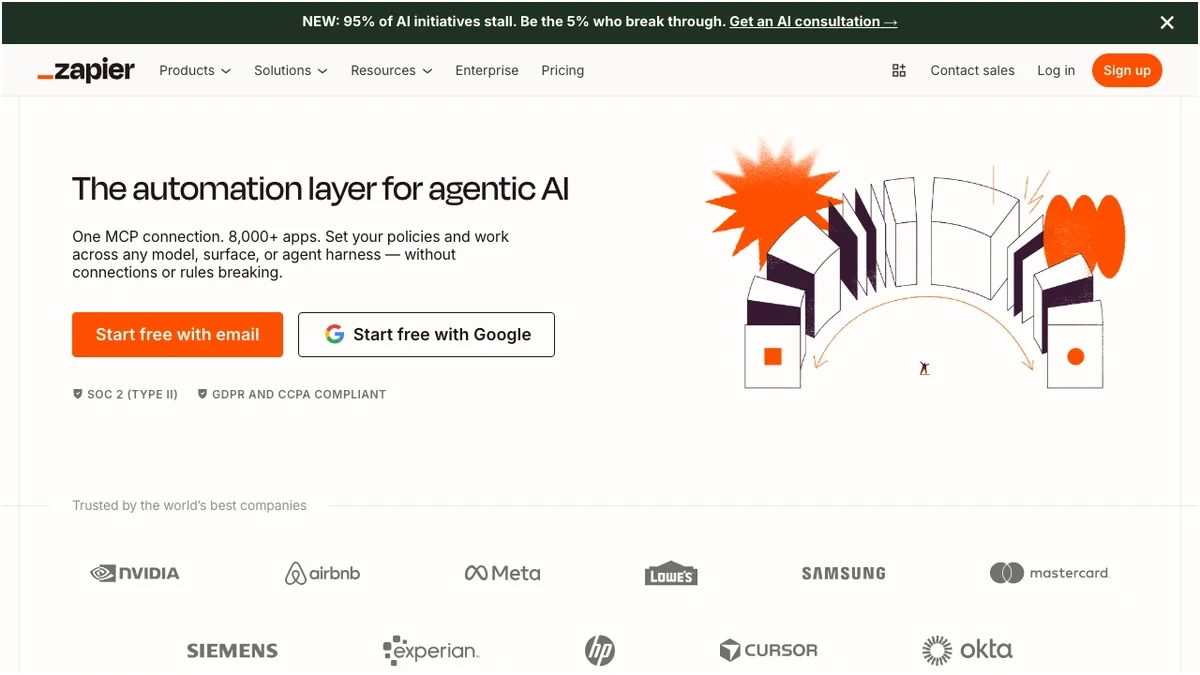
Zapier has long been synonymous with no-code automation. It's designed for business users, marketers, sales teams, and operations professionals who need to connect their favorite apps and automate repetitive tasks without writing a single line of code. With an intuitive visual builder, Zapier empowers anyone to create powerful workflows, known as "Zaps," that trigger actions across thousands of applications.
Its core strength lies in its vast integration library and user-friendliness. If you can think of two apps that need to talk to each other, chances are Zapier already has a pre-built integration ready to go. From syncing CRM data to automating social media posts or managing project tasks, Zapier makes complex integrations accessible to the masses.
Key Features of Zapier:
- 8,000+ App Integrations: The largest ecosystem of pre-built connectors, covering virtually every popular business application.
- Task-Based Automations (Zaps): Workflows are built as a series of triggers and actions, where each action consumes a "task."
- Multi-Step Workflows: Create intricate sequences of actions, often with built-in filtering and formatting capabilities available even on free tiers.
- Tables & Forms: Tools for data collection and management directly within Zapier, enhancing its utility beyond just integrations.
- AI Text Generation: Leverage AI capabilities directly within Zaps for content creation, summarization, or data extraction.
- No-Code Focus: A purely visual, drag-and-drop interface that requires no programming knowledge.
- Auto-Maintained Connections: Zapier handles API authentication and updates, reducing maintenance overhead.
Pipedream: The Developer's Event-Driven Platform
Pipedream, in stark contrast, positions itself as an integration platform built for developers. While it offers a visual workflow builder, its true power lies in its ability to execute custom code (Node.js, Python, Go, PHP, Bash) at any step of a workflow. Pipedream is ideal for engineers, technical teams, and power users who require deep customization, complex logic, and direct API interaction.
It excels in event-driven architectures, allowing developers to build serverless functions that respond to webhooks, scheduled events, or changes in connected applications. Pipedream provides a robust environment for building, deploying, and monitoring custom integrations and APIs, bridging the gap between traditional iPaaS and serverless computing.
Key Features of Pipedream:
- 3,000+ App Integrations (Expandable): A substantial library, though smaller than Zapier's, but critically, it allows for custom code to connect to virtually any API.
- Credit-Based on Executions/Events: Pricing is based on the computational resources consumed by your workflows, offering flexibility for event-heavy scenarios.
- Custom Code Support: Execute Node.js, Python, Go, PHP, or Bash directly within your workflows for unparalleled customization.
- Unlimited Workflows/Apps (on higher plans): Removes common limitations found in other platforms, allowing for extensive automation.
- GitHub Sync: Version control and collaborative development for workflows, a crucial feature for developer teams.
- Premium App Connections: Access to advanced features and higher rate limits for certain integrations.
- Developer-Focused: Provides a full development environment, including logs, debugging tools, and direct API access.
Zapier vs. Pipedream: A Head-to-Head Comparison
Understanding the core philosophies of each platform is the first step. Now, let's break down the critical aspects that will influence your decision.
Integrations: Breadth vs. Depth
- Zapier: With over 8,000 integrations, Zapier offers unmatched breadth. If your workflow involves popular SaaS applications, Zapier likely has a pre-built connector that works out of the box. This means faster setup and less development time for standard use cases. Zapier also takes on the burden of maintaining these connections, updating APIs, and handling authentication changes.
- Pipedream: Pipedream's 3,000+ integrations are still extensive, but its real strength lies in its depth and extensibility. For apps not directly supported, or for highly specific API interactions, Pipedream allows you to write custom code to connect to any API. This makes it incredibly powerful for niche applications, internal tools, or when you need to interact with an API in a way that a pre-built connector might not support.
Verdict on Integrations: For sheer number and ease of use with mainstream apps, Zapier wins. For connecting to obscure APIs or requiring highly customized interactions, Pipedream is superior.
Workflow Creation & Flexibility: No-Code Simplicity vs. Code-First Power
- Zapier: The Zapier workflow builder is a masterclass in no-code design. You define a trigger, then add subsequent actions, filters, and formatters using a visual interface. It's incredibly intuitive, allowing non-technical users to build sophisticated automations in minutes. The recent addition of AI text generation further enhances its capabilities for content-related tasks without needing external tools.
- Pipedream: Pipedream offers a visual builder, but it's designed to integrate seamlessly with custom code steps. You can drag and drop pre-built actions, but at any point, you can insert a Node.js, Python, or other code step to execute complex logic, transform data, or make custom API calls. This flexibility is a game-changer for developers who need to go beyond the limitations of pre-defined actions. GitHub sync also allows for version control and collaborative development, which is essential for engineering teams.
Verdict on Flexibility: For business users, Zapier's no-code simplicity is unmatched. For developers needing ultimate control and custom logic, Pipedream's code-first approach is the clear winner.
Pricing Models: Predictable Tasks vs. Flexible Credits
This is often the most significant differentiator and a point of confusion for many users.
Zapier Pricing
Zapier uses a task-based pricing model. A "task" is essentially an action performed by your Zap. For example, if a Zap triggers when a new email arrives and then creates a new row in a spreadsheet, that's one task. If it then sends a Slack message, that's a second task. Filtering steps that prevent actions from running do not consume tasks, making Zapier cost-efficient for workflows with heavy conditional logic.
Zapier — Pricing Plans
Prices verified Sep 20, 2026 against the official pricing page · Zapier price history
Zapier Pricing Insights:
- Predictable: Task-based pricing is generally easier to understand and forecast for non-technical teams.
- Cost-Efficient for Filtering: If your workflows involve many filters to prevent unnecessary actions, Zapier can be very economical as filtered tasks aren't charged.
- Scales with Usage: As your automation volume grows, so does your task consumption and associated cost. Multi-step Zaps can quickly consume tasks.
Pipedream Pricing
Pipedream uses a credit-based model, where credits are consumed based on workflow executions, compute time, and data transfer. This model is more akin to cloud function pricing (e.g., AWS Lambda) and can be more complex to predict for those unfamiliar with event-driven architectures. Each workflow execution, whether it's a simple API call or a complex custom code step, consumes credits.
Zapier — Pricing Plans
Prices verified Sep 20, 2026 against the official pricing page · Zapier price history
Pipedream Pricing Insights:
- Flexible for Developers: Can be very cost-effective for workflows that are execution-heavy but don't involve many distinct "tasks" in the Zapier sense.
- Less Intuitive: Understanding credit consumption requires a deeper dive into how Pipedream calculates resource usage.
- Unlimited Workflows: On mid-tier plans, the ability to have unlimited workflows and connected apps can be a significant advantage for developers building many micro-automations.
Verdict on Pricing: Zapier's pricing is simpler and more predictable for business users, especially for workflows with many filters. Pipedream can be potentially cheaper for execution-heavy, event-driven developer workflows, but requires a better understanding of resource consumption.
Ease of Use & Learning Curve
- Zapier: Designed for immediate productivity. The visual builder is intuitive, and the documentation is extensive. Non-technical users can get started quickly, often building their first Zap within minutes. The learning curve is minimal for basic automations.
- Pipedream: While it has a visual component, Pipedream's true power requires coding knowledge. The learning curve is significantly steeper for non-developers. Developers, however, will find the environment familiar and powerful, offering a streamlined way to deploy serverless functions without managing infrastructure.
Verdict on Ease of Use: Zapier is vastly easier for non-technical users. Pipedream requires a developer mindset and coding skills.
Performance & Scalability
Both platforms are built to handle significant loads, but their approaches differ:
- Zapier: Processes tasks in queues. While generally reliable, very high-volume or time-sensitive workflows might experience slight delays depending on your plan's update interval. It's designed for business process automation rather than real-time, high-frequency event processing.
- Pipedream: Built on a serverless, event-driven architecture. This makes it inherently scalable and well-suited for high-volume, real-time event processing. Custom code steps can be optimized for performance, giving developers fine-grained control over execution speed and resource consumption.
Verdict on Performance: For standard business automation, Zapier is sufficient. For high-volume, real-time, or performance-critical event processing, Pipedream offers superior scalability and control for developers.
Comparison Table: Zapier vs. Pipedream
Let's summarize the key differences in a quick comparison table:
| Feature | Zapier | Pipedream |
|---|---|---|
| Primary User | Business users, marketers, ops | Developers, engineers, technical teams |
| Core Philosophy | No-code, app-to-app connections | Code-first, event-driven serverless functions |
| Integrations | 8,000+ pre-built | 3,000+ pre-built, unlimited via custom code |
| Custom Code | Limited to built-in functions | Full support (Node.js, Python, Go, PHP, Bash) |
| Pricing Model | Task-based (predictable) | Credit-based (execution/event-driven) |
| Learning Curve | Low | Steep (for non-developers) |
| Workflow Complexity | Multi-step, filters, formatters, AI | Complex logic, API calls, serverless functions |
| Version Control | Limited | GitHub Sync |
| Maintenance | Auto-maintained connections | Developer responsible for custom code |
| Ideal Use Case | Standard business automation, data sync | Custom integrations, API development, event processing |
Pros and Cons
Zapier
Pipedream
When to Choose Which Platform
Making the right choice depends entirely on your team's technical capabilities, the complexity of your automation needs, and your budget.