Cursor vs. Windsurf: Which AI IDE Should You Use in 2026?
Cursor vs Windsurf compared: agent mode, deployment, pricing, and IDE experience. Which AI coding environment fits your workflow in 2026?
8 min read
The landscape of AI-powered developer tools is rapidly evolving, with new assistants promising to supercharge our coding workflows. Two prominent contenders vying for the attention of developers are Cursor and Windsurf. Both aim to act as intelligent pair programmers, but they approach the task with distinct philosophies, feature sets, and pricing models. This deep dive will dissect their capabilities, helping you determine which AI coding assistant is the right fit for your needs.
Core Functionality: AI-Assisted Coding
At their heart, both Cursor and Windsurf excel at generating code, answering questions about your codebase, and refactoring. They leverage large language models to understand context and provide relevant suggestions.
Cursor positions itself as a highly integrated IDE experience, deeply embedded within your development environment. Its strength lies in its ability to understand complex codebases and assist with intricate tasks through its advanced "Agent" mode and "Max Mode" for truly demanding projects. This makes it particularly appealing to seasoned developers working on large, established codebases where deep context is paramount.
Windsurf, on the other hand, emphasizes a more streamlined and user-friendly approach, aiming to be accessible to developers of all skill levels. While it also offers powerful AI capabilities, its standout feature is its integrated deployment functionality, allowing users to quickly share their creations. This focus on ease of use and rapid iteration makes Windsurf an attractive option for beginners, personal projects, and teams looking for a quick way to get their applications live.
Feature Deep Dive: What Sets Them Apart?
While both tools offer core AI coding assistance, their feature sets diverge significantly, catering to different user preferences and workflows.
| Feature | Cursor | Windsurf |
|---|---|---|
| AI Agent | Agent mode (Max Mode for complex tasks) | Cascade with deployment focus |
| One-click deployment | No | 1–5 apps/day by plan |
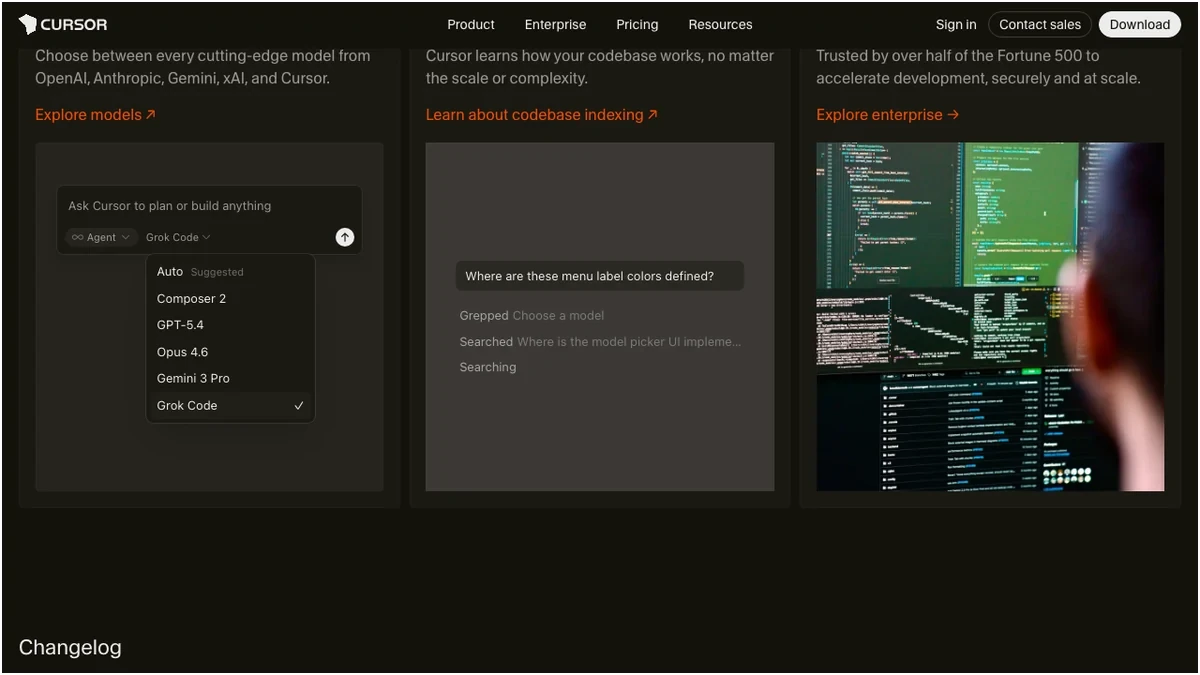
| Models | Claude 4, GPT-5.4, Gemini 3 Pro, Grok Code | SWE-1.5 (13× faster), OpenAI / Claude / Gemini |
| UI approach | Traditional IDE (VS Code fork) | Beginner-friendly, Memory + Codemaps |
| Security certs | Standard | SOC 2, HIPAA, FedRAMP, ZDR |
| Named free plan | No | Light plan ($0/mo) |
| Bugbot (debug agent) | Yes | No |
| Best for | Large codebases, complex tasks | Beginners, rapid prototyping |
User Interface and Experience: Windsurf clearly takes the lead in terms of user-friendliness. Its UI is designed to be intuitive, making it easier for newcomers to grasp and utilize its AI capabilities. Features like "Memory," "Supercomplete," "Codemaps," and "Fast Context" contribute to a smoother, more efficient development experience, especially when navigating larger projects. Cursor, while powerful, offers a more traditional IDE feel, which might be more familiar to experienced developers but could present a steeper learning curve for beginners.
AI Agent Capabilities: Both tools offer sophisticated AI agent modes. Cursor's "Agent" and "Max Mode" are geared towards tackling highly complex tasks and large codebases, providing advanced tooling for deep problem-solving. Windsurf's "Cascade" agent, coupled with its deployment focus, suggests a workflow geared towards rapid prototyping and iteration, where agents help build and refine applications that can be quickly shared.
Deployment: This is a significant differentiator. Windsurf's one-click app deployment is a game-changer for developers who want to rapidly share their work, test ideas, or get feedback. The ability to deploy 1-5 applications per day depending on the plan offers a tangible advantage for quick iteration cycles. Cursor, while capable of generating deployable code, doesn't offer this integrated deployment feature, requiring users to manage the deployment process separately.
Model Availability: Both platforms support a range of powerful AI models. Cursor highlights access to Claude 4, a state-of-the-art model. Windsurf offers its proprietary SWE-1.5 model, which it claims is 13x faster, alongside access to popular models like OpenAI's offerings, Claude, and Gemini. The choice here might depend on specific model preferences or the need for cutting-edge performance.
Security: For organizations with stringent security requirements, Windsurf's certifications (SOC 2, HIPAA, FedRAMP, ZDR) provide a significant advantage. Cursor offers standard security measures, but Windsurf's compliance certifications are a clear indicator of its commitment to enterprise-grade security.
Pricing: Value for Money
The cost of AI coding assistants can add up, so understanding the pricing structures of Cursor and Windsurf is crucial for making an informed decision.
Both Cursor Pro and Windsurf Pro are now priced at $20/month. Cursor offers an annual discount bringing its Pro plan to $16/month, which undercuts Windsurf's monthly rate. The key difference in their pricing lies in their model: Cursor offers unlimited completions on its Pro plan with limits on "requests," while Windsurf uses a credit system for prompts. Windsurf has also added a Max tier at $200/month for heavy agent usage, mirroring Cursor's Ultra tier.
Team pricing is now aligned, with both platforms at $40 per user per month. Windsurf Teams emphasizes pooled credits and an admin dashboard, while Cursor focuses on privacy controls and SSO. For enterprise needs, both offer custom solutions with advanced security and features.
Pros and Cons: A Balanced View
To further clarify the strengths and weaknesses of each tool, let's look at their respective pros and cons.
Verdict: Which AI Coding Assistant Reigns Supreme?
The choice between Cursor and Windsurf hinges on your individual needs, experience level, and workflow priorities.
Frequently Asked Questions
Frequently Asked Questions
Try These Tools
Try OpenAI API Try Claude API Try Cursor Try Windsurf