Cursor vs. GitHub Copilot: Which AI Coding Assistant is Best?
Cursor Pro ($20/mo) vs Copilot Pro ($10/mo): agent mode, IDE breadth, and benchmarks compared to decide if the $10 premium is worth it.
11 min read
Quick answer: Choose Cursor Pro ($20/mo) if you do complex multi-file refactoring or use agent mode daily — task completion runs ~30% faster and you get full frontier-model access (Claude Opus, GPT-5). Choose GitHub Copilot Pro ($10/mo) if you need broad IDE support (VS Code, JetBrains, Neovim, Xcode) or you primarily use inline autocomplete. Copilot scores slightly higher on published SWE-bench benchmarks (56% vs 51.7%). Cursor wins on real-world agent task speed.
Review method: Pricing from official vendor pages (cursor.com, github.com/features/copilot). SWE-bench scores from published benchmarks. Task-speed comparisons sourced from community testing and published head-to-head comparisons; no independent lab testing by this author.
The landscape of AI-powered coding assistants is rapidly evolving, and at the forefront of this revolution stand two formidable contenders: Cursor and GitHub Copilot. As of early 2026, both tools promise to supercharge developer productivity, but they approach the task with distinct philosophies and feature sets. This deep dive aims to cut through the hype and provide a clear, data-driven comparison to help you choose the right AI pair programmer for your workflow.
The Core Promise: What Do They Actually Do?
At their heart, both Cursor and GitHub Copilot are designed to act as intelligent assistants, augmenting the developer's capabilities. They excel at:
- Code Generation: Suggesting lines or blocks of code based on context.
- Code Completion: Finishing your thoughts before you even type them.
- Code Understanding: Explaining complex code snippets or entire files.
- Refactoring and Debugging: Assisting in identifying and fixing issues, or restructuring code.
However, the depth and breadth of these capabilities, along with the underlying technology and user experience, diverge significantly.
Feature Face-Off: Beyond Basic Autocomplete
While both tools offer code suggestions, the sophistication of their features tells a different story.
| Feature | Cursor | GitHub Copilot |
|---|---|---|
| Primary Model | Claude Sonnet 4.6 (default) | GPT-4o (default) |
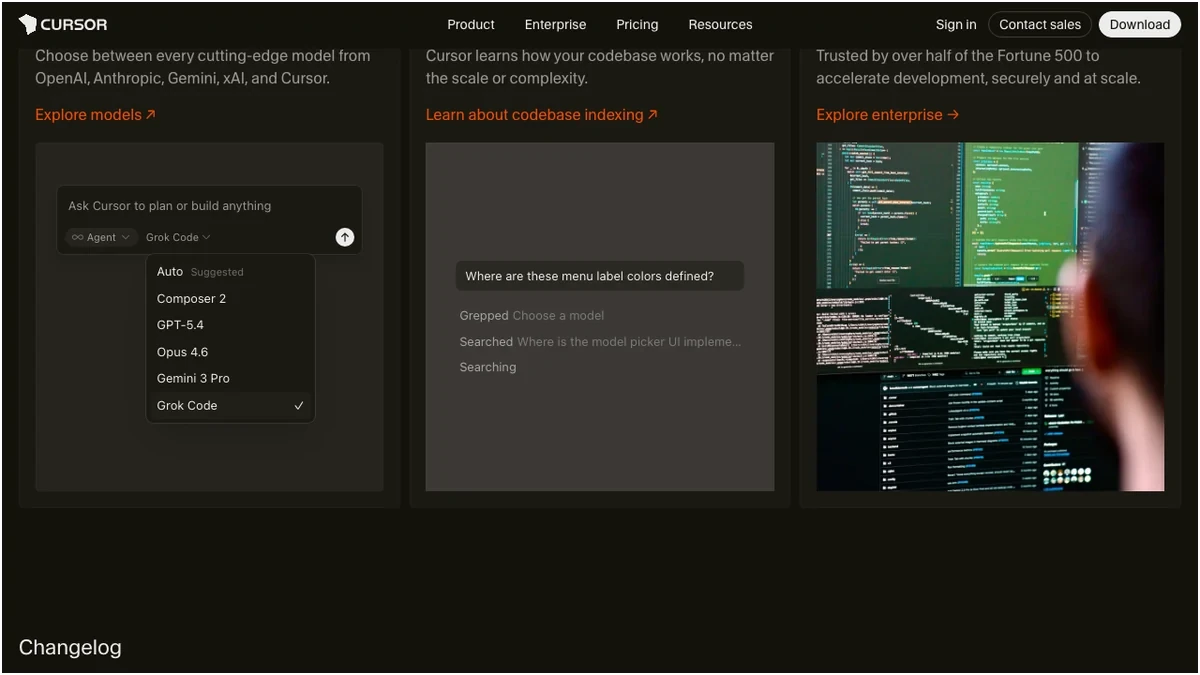
| Available Models | GPT-5.4, Claude Opus 4.6, Gemini 3 Pro, Grok Code | GPT-4o, Claude Sonnet 4.6, Gemini 2.5 Pro |
| Autocomplete | Supermaven (industry-leading) | Fast, inline |
| Multi-File Editing | Composer + Agent mode | Copilot Edits (basic) |
| IDE Agent Mode | Yes (terminal, files, commands) | GitHub Issues focused |
| Codebase Indexing | Built-in (Pro) | Enterprise plan only |
| IDE Support | Cursor IDE (VS Code fork) | VS Code, JetBrains, Visual Studio, Neovim, Xcode |
| Built-in Terminal | Yes | No |
| Custom Rules | .cursorrules files | — |
| GitHub Integration | Limited | Native (Issues, PRs, Actions) |
| IP Indemnity | No | Business/Enterprise plans |
Cursor distinguishes itself with its AI-first IDE, a fork of VS Code meticulously designed for AI interactions. Its "Composer" and "Agent" modes are arguably best-in-class for multi-file editing and complex task execution. The ability to index your entire codebase on the Pro plan is a significant advantage for understanding and manipulating large projects. Furthermore, Cursor's smart request accounting means that cancelled or errored AI requests don't burn through your premium quota, a crucial detail for heavy users. The inclusion of a built-in terminal and .cursorrules for custom AI behavior adds another layer of power and control.
GitHub Copilot, on the other hand, leverages its deep integration within the GitHub ecosystem. Its native support across a wide array of popular IDEs is a major draw for developers who prefer to stick with their established environments. Copilot's "Coding Agent" is tied to GitHub Issues, offering a more focused, albeit shallower, agent experience compared to Cursor's full IDE integration. While Copilot's basic "Copilot Edits" offer some multi-file manipulation, it doesn't match Cursor's advanced capabilities.

Model Access: The Frontier of AI
The choice of underlying AI models is critical for the quality of suggestions and the breadth of tasks an assistant can handle.
Cursor shines here by offering access to a wider array of frontier models on its Pro plan, including GPT-5.4 and Claude Opus 4.6. This means developers can experiment with and leverage the absolute latest in AI capabilities for complex problem-solving.
GitHub Copilot offers GPT-4o as its default on the Pro plan. Access to Opus-class models is gated behind the more expensive Pro+ plan ($39/month), which feels like a significant upcharge for those seeking the highest tier of AI performance.
Pricing: Value for Money?
The cost of these powerful tools is a significant consideration.
Cursor Pro comes in at $20/month, double the price of GitHub Copilot Pro ($10/month). This premium for Cursor is justified for users who heavily leverage its advanced agent capabilities and multi-file editing features, where time savings can easily outweigh the cost. However, for developers primarily seeking enhanced autocomplete and basic code suggestions, Copilot Pro offers superior value.
A notable point of contention for both is the handling of "premium" or "advanced" requests. Cursor's Pro plan includes 500 premium requests, with overage fees applying. Reports suggest heavy users can see bills exceed $40. Copilot Pro offers 300 premium requests at $0.04 each, which can also escalate. The transparency and management of these limits are crucial for budget-conscious teams.
Agent Mode: The True AI Pair Programmer?
This is where the most significant divergence occurs.
Cursor's agent mode is a full-fledged IDE agent. It can interact with your terminal, execute commands, and manipulate files directly. This allows for incredibly powerful workflows, such as building entire APIs or complex refactors with minimal human intervention. Its reliability, even with complex tasks, is a standout feature, with reported task completion times significantly faster than Copilot's agent.
GitHub Copilot's agent mode, the "Copilot Coding Agent," is more narrowly focused, primarily interacting with GitHub Issues. While useful for task-specific code generation related to tickets, it lacks the broad, context-aware capabilities of Cursor's agent. Furthermore, Copilot's agent mode has faced criticism for being rate-limited and sometimes exhibiting attachment mix-ups, leading to less predictable performance.
IDE Support: Flexibility vs. Specialization
GitHub Copilot wins hands-down on IDE support. Its availability across VS Code, JetBrains IDEs, Visual Studio, Neovim, and Xcode means developers can integrate it seamlessly into their existing toolchains without switching their primary development environment.
Cursor, however, is an AI-first IDE itself, a fork of VS Code. This specialization allows for deeper integration of AI features into the core user experience, but it requires developers to adopt the Cursor IDE. For those already comfortable with VS Code, the transition is minimal, but it's still a change.
Pros and Cons: A Balanced View
Verdict: Which AI Coding Assistant Reigns Supreme?
The choice between Cursor and GitHub Copilot hinges on your specific needs, workflow, and budget.
Is Cursor worth the extra $10/month over Copilot Pro? For developers tackling complex, multi-file refactoring or intricate agent-driven workflows, the answer is a resounding yes. Cursor's ability to save 30-60 minutes per session through its superior agent and Composer modes easily justifies the premium. For those whose primary need is enhanced autocomplete and basic code generation at half the cost, Copilot Pro remains the more economical choice.
What are the free tier limitations? Both free tiers are suitable for light experimentation. Cursor Free offers 2K completions and 50 slow requests. Copilot Free provides 2,000 completions and 50 chats. Neither unlocks the premium models or advanced agent features.
Which has better IDE integration? Copilot's strength lies in its broad native support across VS Code, JetBrains, Neovim, and Xcode. Cursor, while a highly optimized VS Code fork, requires users to switch to the Cursor IDE.
How do their agent modes compare? Cursor's full IDE agent is a game-changer, handling terminal commands, file operations, and complex tasks with remarkable reliability. Copilot's agent is more limited, primarily focused on GitHub Issues, and can be less predictable.
What about overage charges? Both tools have mechanisms for premium request limits. Cursor Pro offers 500 premium requests, with overages incurring fees. Copilot Pro provides 300 premium requests, with a $0.04 charge per additional request. Heavy users of advanced features on either platform should budget for potential overages.
Frequently Asked Questions
Frequently Asked Questions
Sources
- https://community.latenode.com/t/cursor-vs-github-copilot-2025-same-functionality-but-double-the-cost/20812
- https://www.nxcode.io/resources/news/github-copilot-vs-cursor-2026-which-to-pay-for
- https://javascript.plainenglish.io/github-copilot-vs-cursor-vs-claude-i-tested-all-ai-coding-tools-for-30-days-the-results-will-c66a9f56db05
- https://github.org/orgs/community/discussions/161450
- https://uibakery.io/blog/cursor-ai-vs-copilot
- https://www.youtube.com/watch?v=YlRh8IwgLMM